Add MemFee Bot to your Telegram Channel
Create a private Telegram channel, add the MemFee bot, and grant administrator permissions so MemFee can manage paid community access.
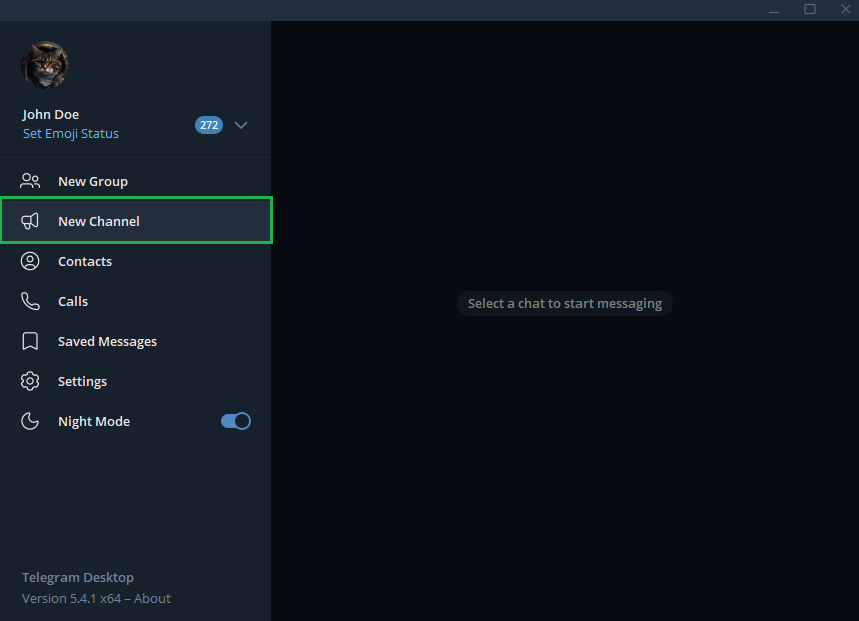
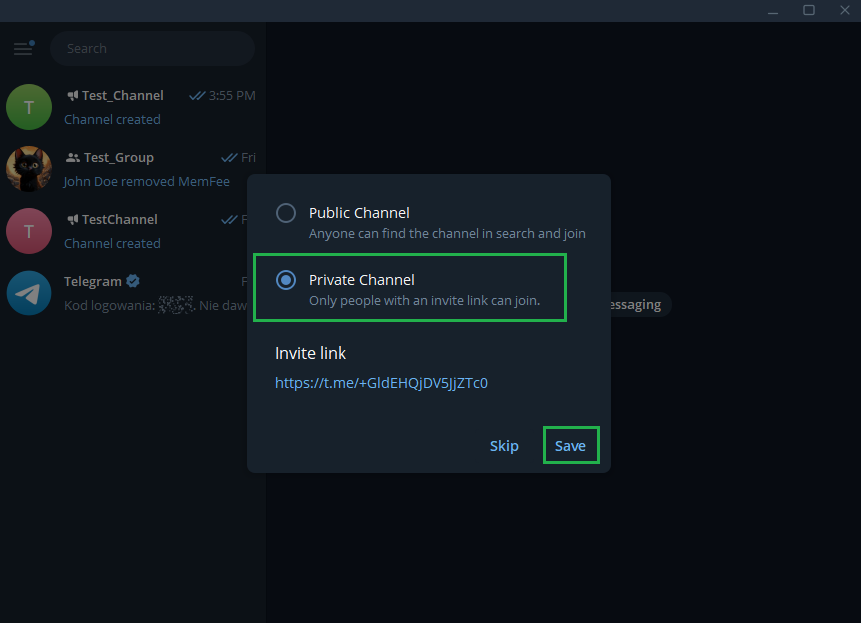
Create a new private channel
Open Telegram Desktop, create a New Channel, choose Private Channel, then save it.
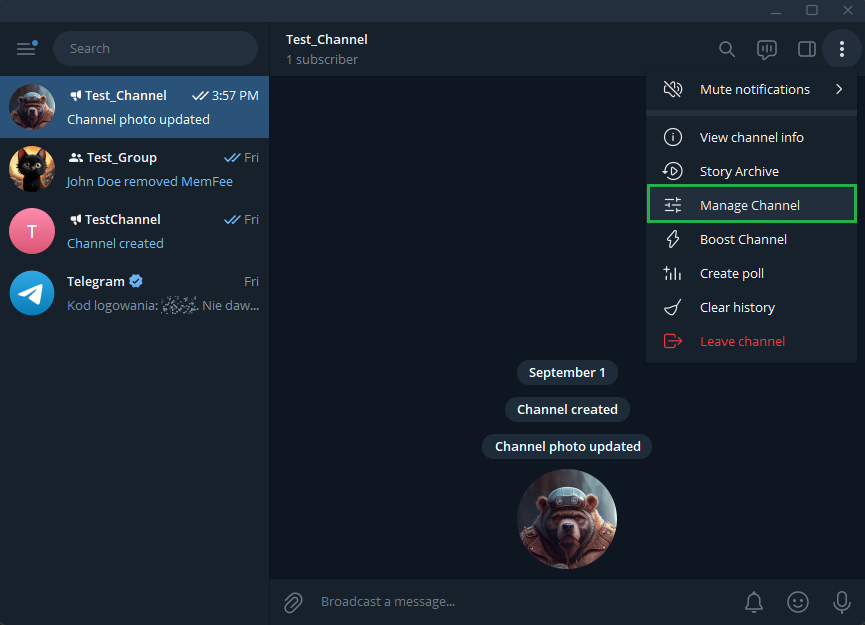
Open channel management
Navigate to your Channel → Manage Channel.
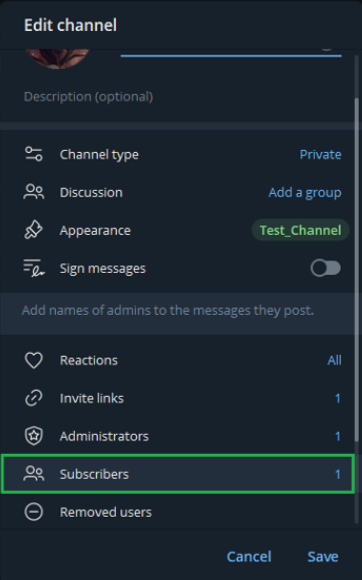
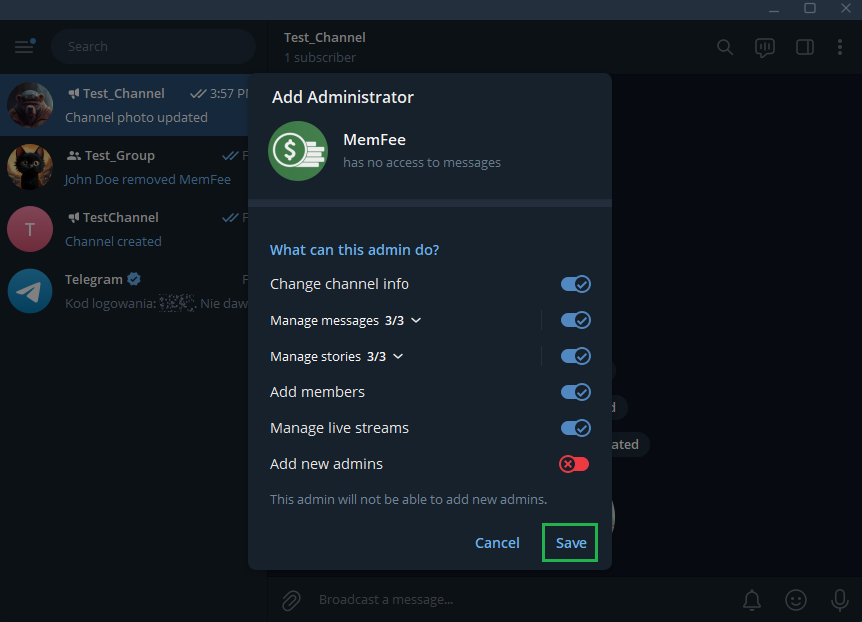
Add MemFee Bot as administrator
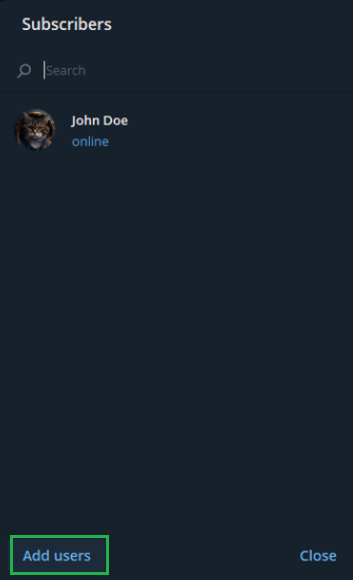
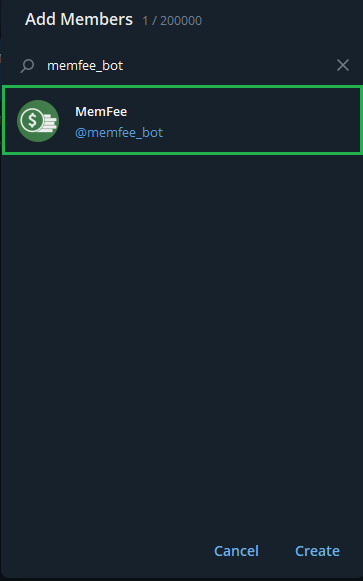
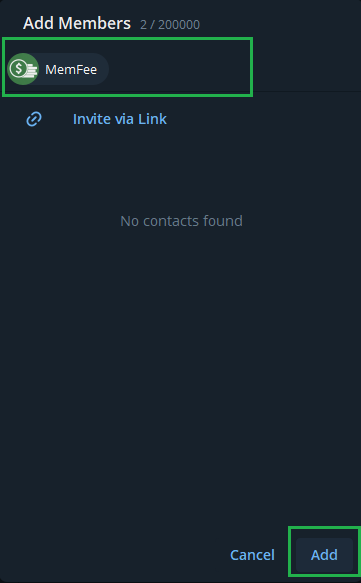
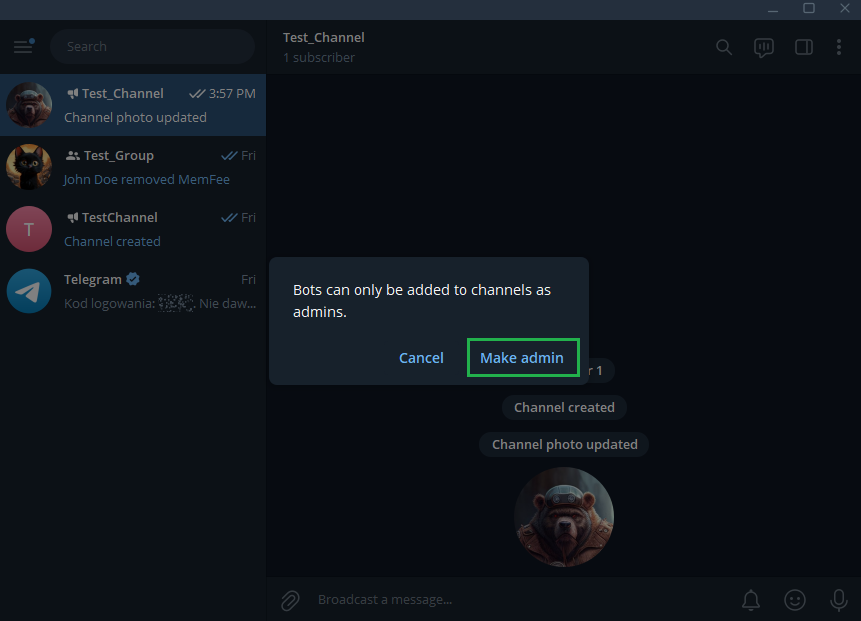
Go to subscribers, add @memfee_bot, select Make admin, then save the administrator permissions.
Return to the MemFee admin console
Go back to admin.memfee.com. Your channel should appear in your admin console, where you can define additional information and configure packages to purchase.
Add MemFee Bot to your Telegram Group
Create a private group, disable member invite permissions, add the MemFee bot, and grant the bot administrator privileges.
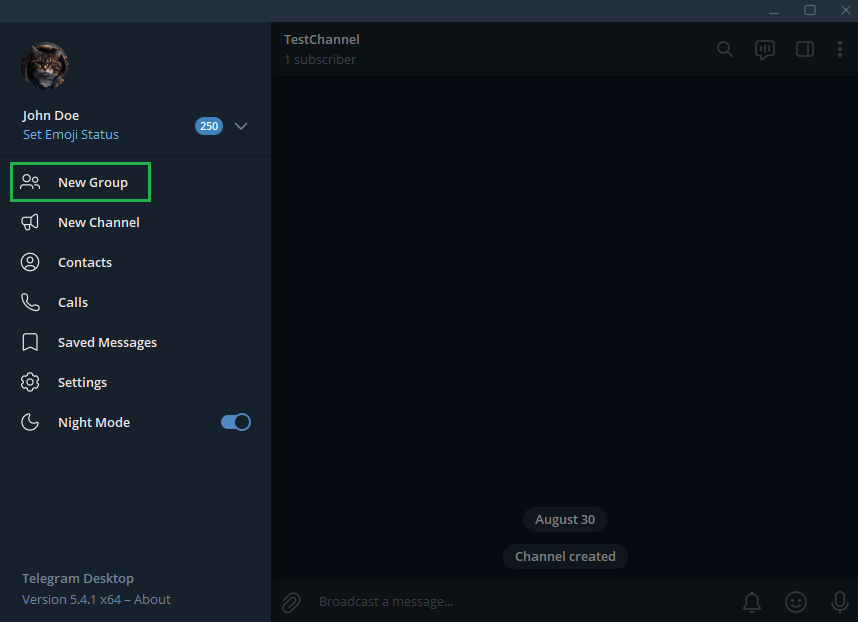
Create a new group
Open Telegram Desktop and create a New Group.
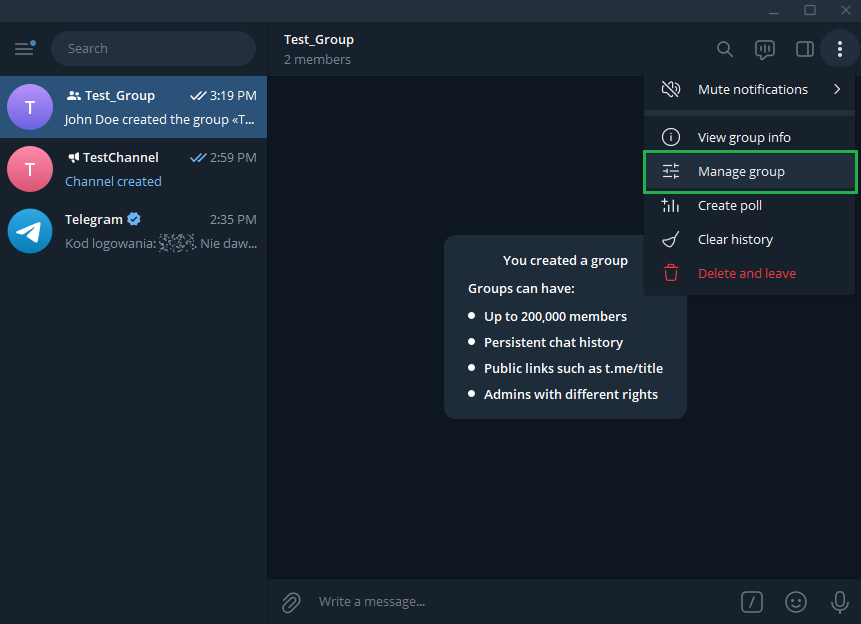
Open group management
Navigate to your Group → Manage group.
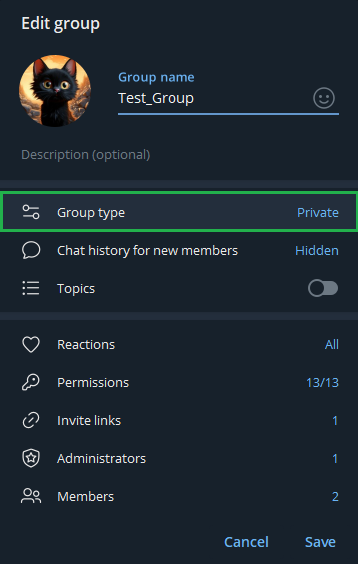
Make the group private
Open Group type, select Private Group, then save the change.
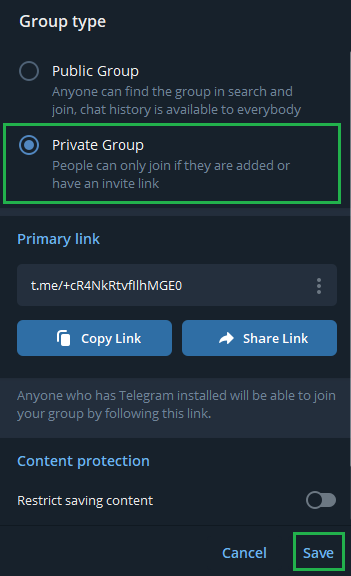
Turn off member invite permission
Go to Permissions and turn off Add members permission for members. Save your changes.
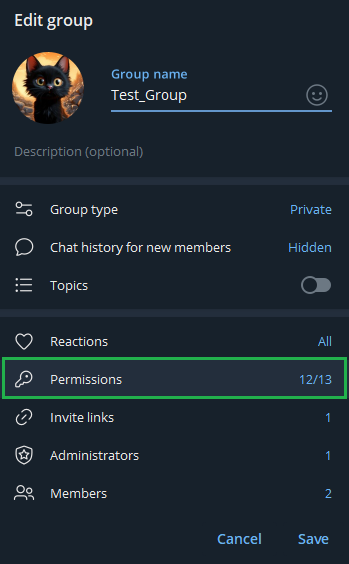
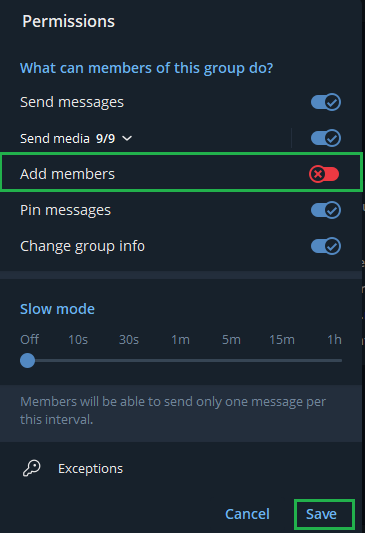
Add MemFee Bot to your group
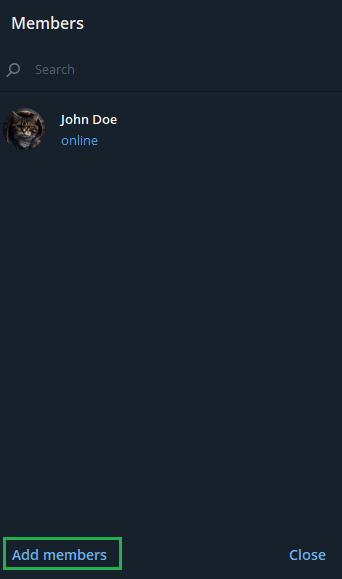
Open Members, choose Add members, search for @memfee_bot, and add it to the group.
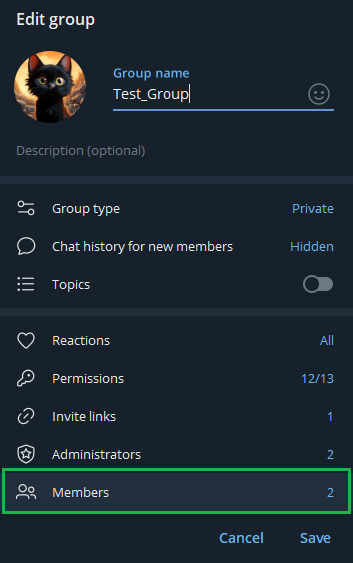
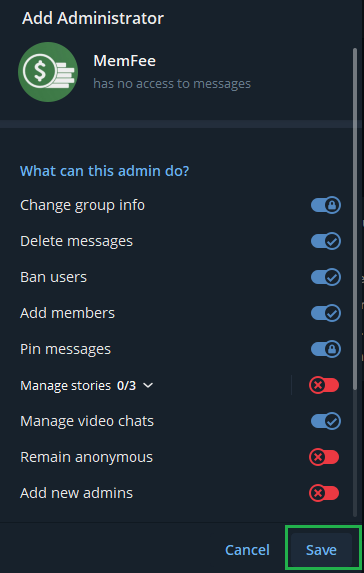
Add administrator privileges
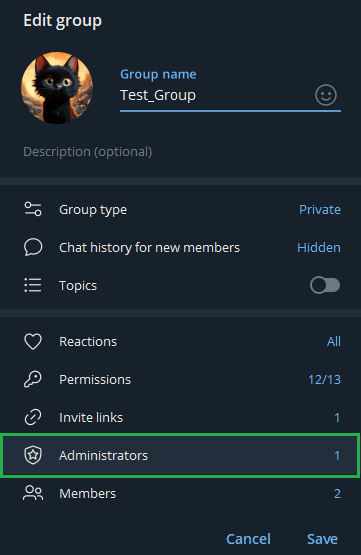
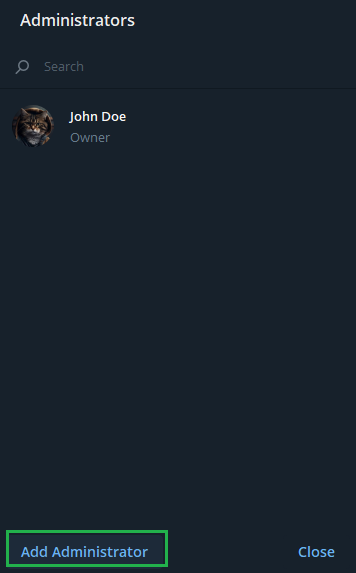
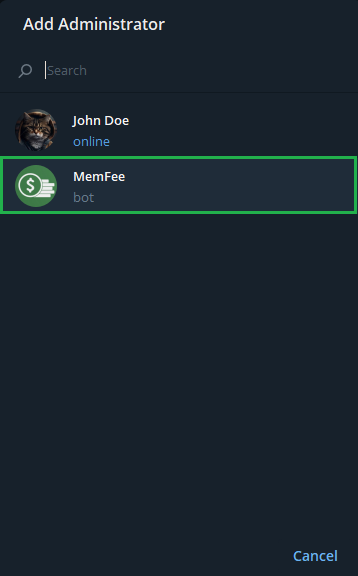
Open Administrators, add @memfee_bot as an administrator, then save the permissions.
Return to the MemFee admin console
Go back to admin.memfee.com. Your group should appear in your admin console, where you can define additional information and configure packages to purchase.
Ready to configure packages?
After Telegram is connected, continue in the MemFee admin console to define access packages and start selling memberships.
Open MemFee Admin